G10 Communications Technology · TGJ2O0 · 2025–26 · Mr. Birch
A full semester of work across vector illustration, photo editing, and motion design, all built in Adobe Illustrator, Photoshop, and Animate.
Sidi Mohal · Caledon, Ontario
About Me
16 | TEDx Speaker | Yale Young Global Scholar | National Advisory Council @ FBL Canada | Camp Rising Sun (1 of 60 of 3,000+)
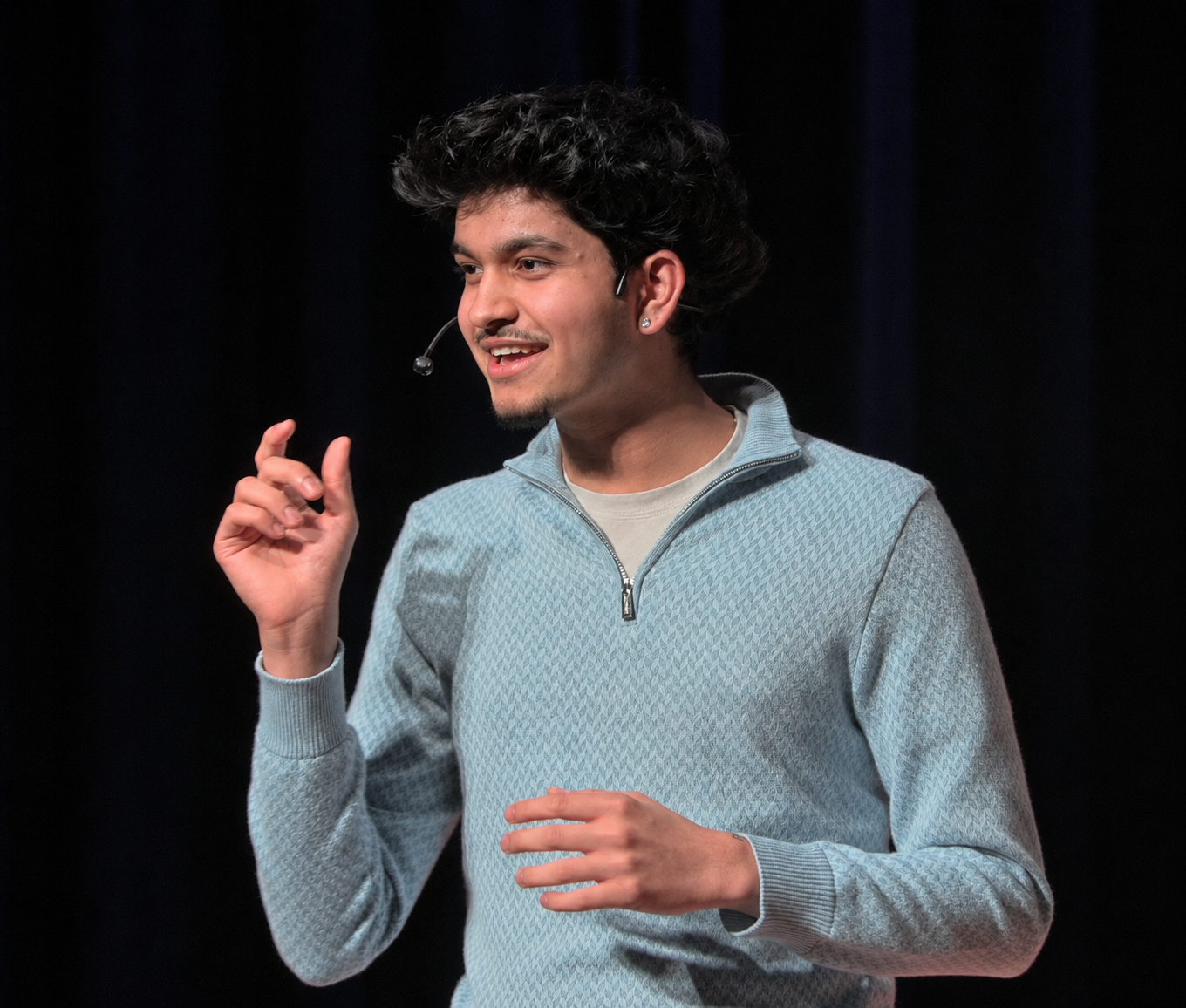
I'm the kind of person who likes building things and putting them in front of real people. I gave a TEDx talk on how algorithms shape our generation, I'm a Yale Young Global Scholar, and I sit on the National Advisory Council for FBL Canada, the country's largest student business organization. This summer I'll also be a Canadian Ambassador at Camp Rising Sun, chosen as 1 of 60 people from over 3,000 applicants across 100+ countries.
Design ties into everything I do. I used the skills from this class to design slide decks for FBL Canada and to code this entire portfolio from scratch. I came into TGJ2O having only messed around with design for my own projects, and I'm leaving able to use professional tools properly and on purpose.
Beyond this class
Hobbies & interests
Before this course
This was my first real design course. Before it I taught myself bits of design for my own projects and clubs, and I self-studied AP Human Geography (scored 5) and AP Psychology (scored 4) back in grade 9. This class was where I finally learned to do it properly.
Level 4. Near-perfect feedback across the semester, strong work in all three units, every piece explained, plus a full portfolio site built from scratch.
Why I deserve this grade
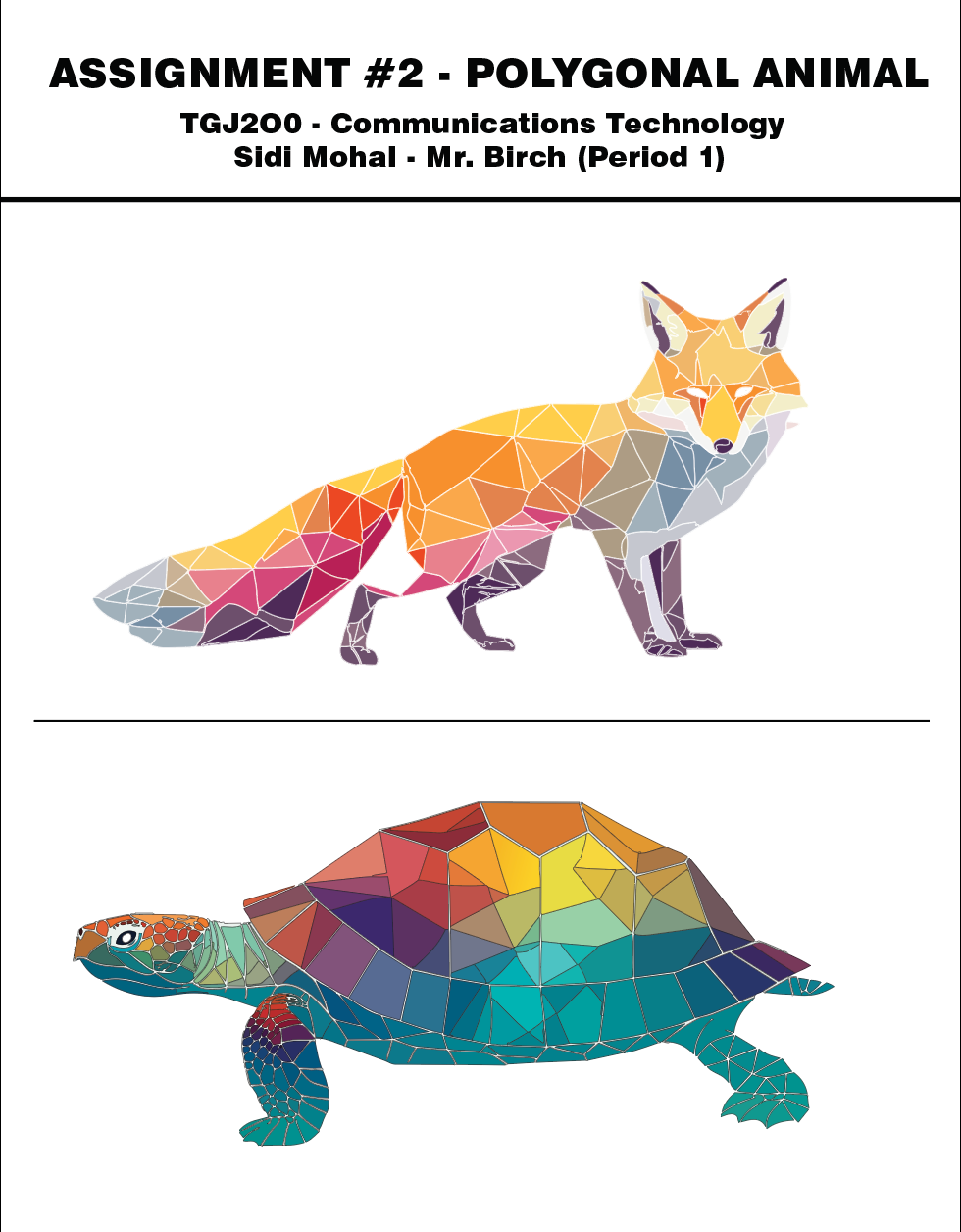
My best argument is the work itself and the feedback on it. Almost every assignment this semester came back marked "awesome job," "great designs," or "nice work," with very little you wanted me to fix. That is a steady record across the whole course and all three units. The two pieces I would put forward first are my Polygonal Animal and my Movie Poster. The fox and turtle were built triangle by triangle with the Pen tool, no auto-trace, just careful placement of hundreds of individual shapes. The Movie Poster, my GL1TCH design, was the first thing I made all year that genuinely looks like a real one-sheet. On top of the required work, I designed and coded this entire portfolio website from scratch, and I spent a lot of time helping classmates who got stuck on masks, the Pen tool, or colour matching. Every project in here also has a written explanation of why I made each choice, so you can see the thinking behind it. I want to be honest that I did not hit every single deadline, but I made up for it with effort, including watching countless tutorials on my own time to learn techniques properly. I solved most of my own problems and I can walk you through any decision on this site.
What I have learned
In September I could barely open Illustrator. Now I can draw precise paths with the Pen tool, blend photos with layer masks so the edit is invisible, colour-match mismatched images into one believable scene, and time an animation with proper easing and squash-and-stretch. That is the whole toolset across three programs, learned from zero in one semester. The bigger lesson underneath all of it is that good design usually comes from cutting things down until only what matters is left. Spacing, colour, and the font you pick all carry meaning, and the software is just how you put the idea on the page. I also catch myself noticing kerning, colour grading, and layout in posters and ads now, which I never did before this course.
What I have enjoyed
The photo editing unit was my favourite, especially the compositing projects where the whole point was making the edit impossible to spot. I like that you can spend hours on something and the reward is that nobody can tell you did anything. The Movie Poster stood out too, and so did the Polygonal Animal, which took the most patience of anything I made. Those two are the projects I am proudest of, and they are the ones I would happily be quizzed on, because I made every choice in them on purpose.
What I need to improve
Animate, honestly. The animation unit was the hardest part of the course for me and I know it is the weakest section of my portfolio. Timing and motion did not click as fast as the Illustrator and Photoshop tools did, and I am still learning it. I want to put real time into getting better at animation, and I would rather be upfront about that than pretend it is my strongest area. Speed is the other thing. I can do the work now but it takes me a while, and more practice would make the tools feel automatic so I can focus on the design instead of looking up how to do something.
Unit 01 · Adobe Illustrator
Four projects built entirely from paths and anchor points: a bakery logo set, two low-poly animals, minimalist show posters, and a full brand-identity challenge.
Insert logo design screenshot
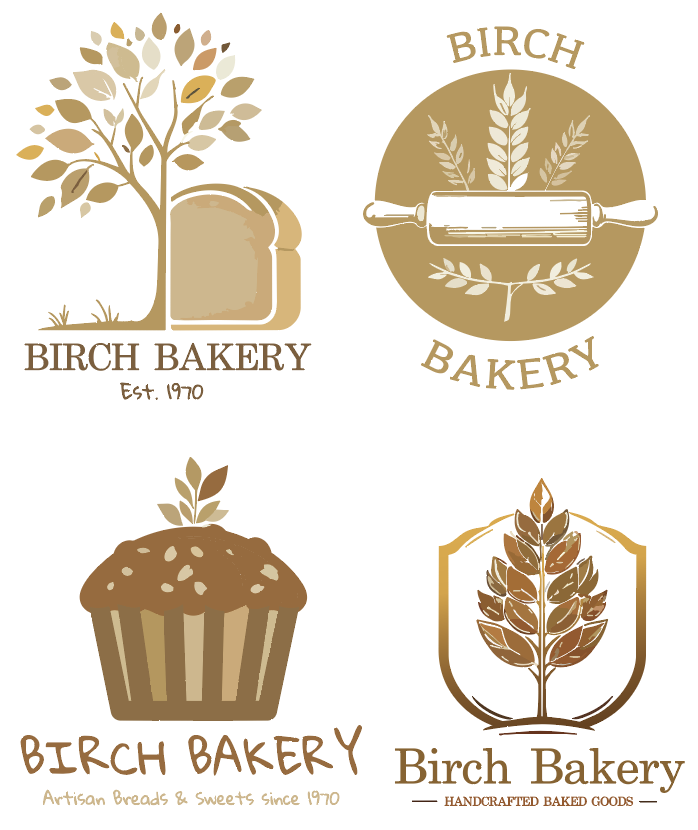
I designed a full set of logos for a made-up company, Birch Bakery, and ended up with eight different directions. The four here lean on warm bronze and gold tones: a leafy bread tree with a slice of loaf, a circular badge with a rolling pin and wheat, a chunky muffin wordmark with "Artisan Breads & Sweets since 1970," and a wheat-in-a-shield crest. The other set (in the gallery) goes brighter and more playful with a cupcake, a chocolate-cake circle badge, a tree-on-a-hill scene, and a birch-trunk mark. The whole point was variety: same bakery, totally different moods, each tested as a small icon and at full size.
Insert polygonal animal screenshot
I made two low-poly animals, a fox and a sea turtle, both built completely from hand-placed triangles in Illustrator with no auto-trace. The fox runs warm: oranges, yellows, pinks and a few cool grey-blues in the shadows, with that classic pointed snout and bushy tail all faceted out. The turtle goes full rainbow, a shell that shifts from red and yellow at the top down into teal and blue, with a speckled patterned head. The hard part on both was choosing triangle colours that sit close enough together to read as rounded 3D form, even though every single shape is flat. The turtle especially took a lot of patience because of the shell.
Insert minimalist poster screenshot
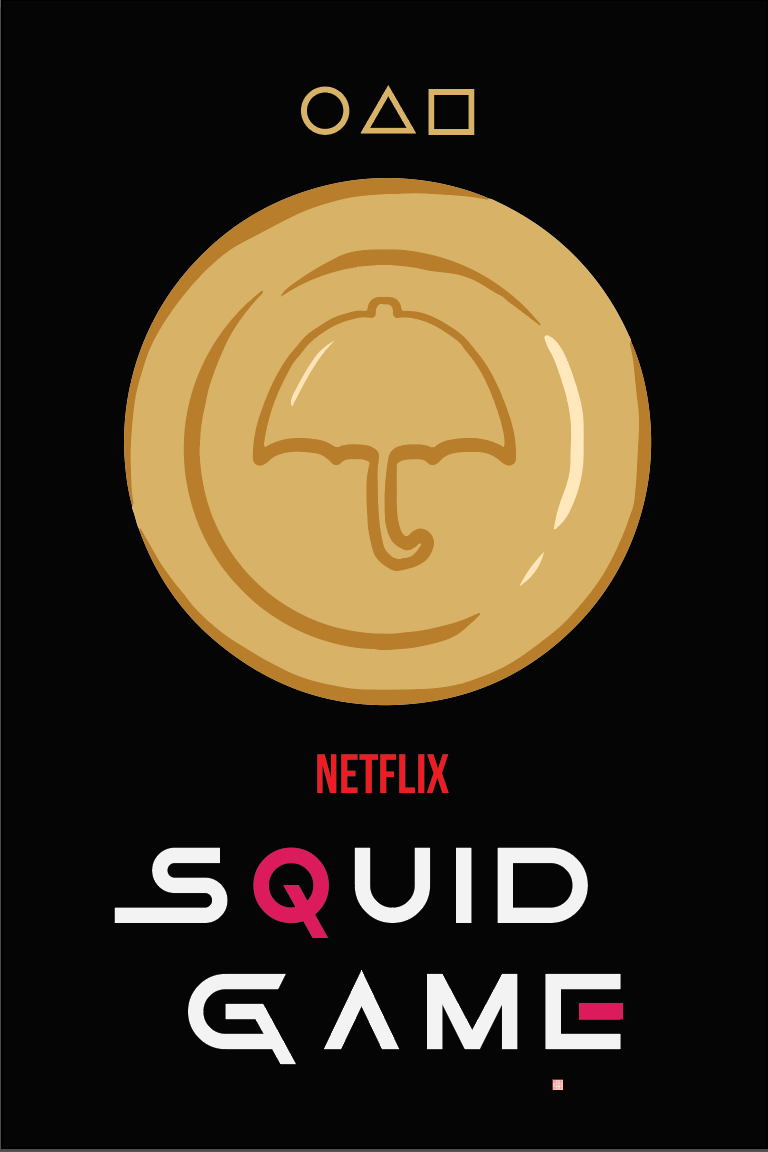
Two minimalist show posters where the rule was to say everything with almost nothing. For Squid Game I used a pure black background, the three pink-and-gold game shapes up top, and one big dalgona candy coin with the umbrella shape pressed into it, finished with the broken-up "SQUID GAME" type and a single magenta Q. For Stranger Things (in the gallery) I went with a black-to-white radial glow, a red-outlined Demogorgon silhouette, and the show's red serif title. Both work because of how much empty space sits around one strong focal point.
Insert design challenge screenshot
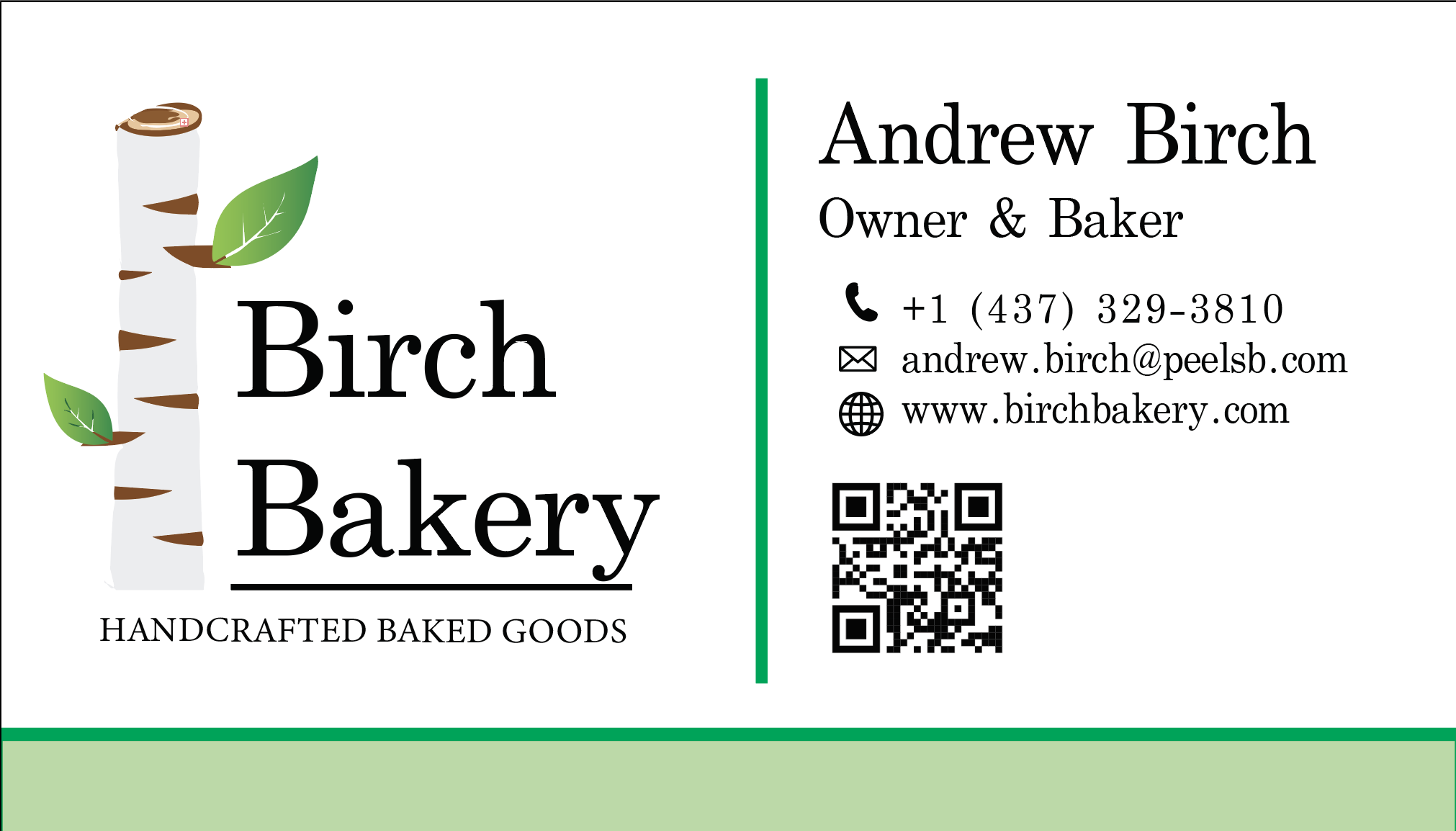
This turned into a full brand system for Birch Bakery, way more than a single design. I built a business card (with a working QR code, phone, email and the birch-trunk logo), two letterhead layouts, a website navigation bar with an "Order Online" button, a row of t-shirt designs ("Work Hard. Make Dough." and "Donut Worry. Be Happy."), a branded beanie, and a $10 gift card. The challenge was keeping one identity, the birch trunk, the green leaves, the serif type, consistent across totally different objects so they all clearly read as the same company. Open this one to see the whole kit.
Unit 02 · Adobe Photoshop
Seven projects covering most of what Photoshop can do: selective colour, layer-built portraits, sky and scene swaps, double exposures, meme typography, surreal composites, and an original movie poster.
Insert colour pop screenshot
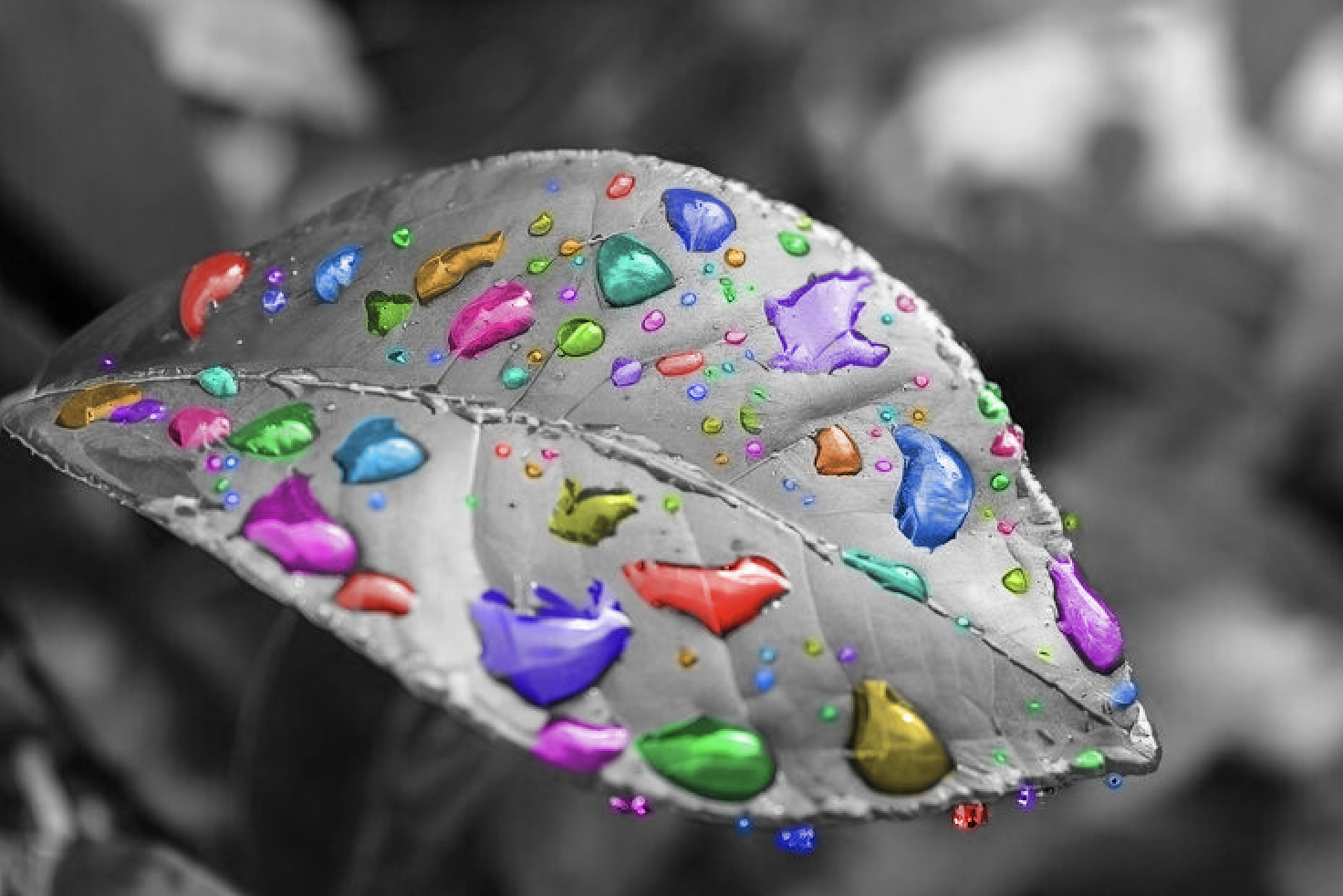
I took a close-up photo of a leaf covered in raindrops, turned the whole thing black and white, then brought the colour back into just the water droplets so they pop as little beads of red, pink, green, blue and orange against the grey. I did it by duplicating the layer, dragging the saturation all the way down on top, then masking the colour back through only on the drops. The tricky part was selecting all those tiny droplets cleanly so the edges didn't look cut out. Mr. Birch left "good job, nice design" on this one.
Insert Mr Melonhead screenshot
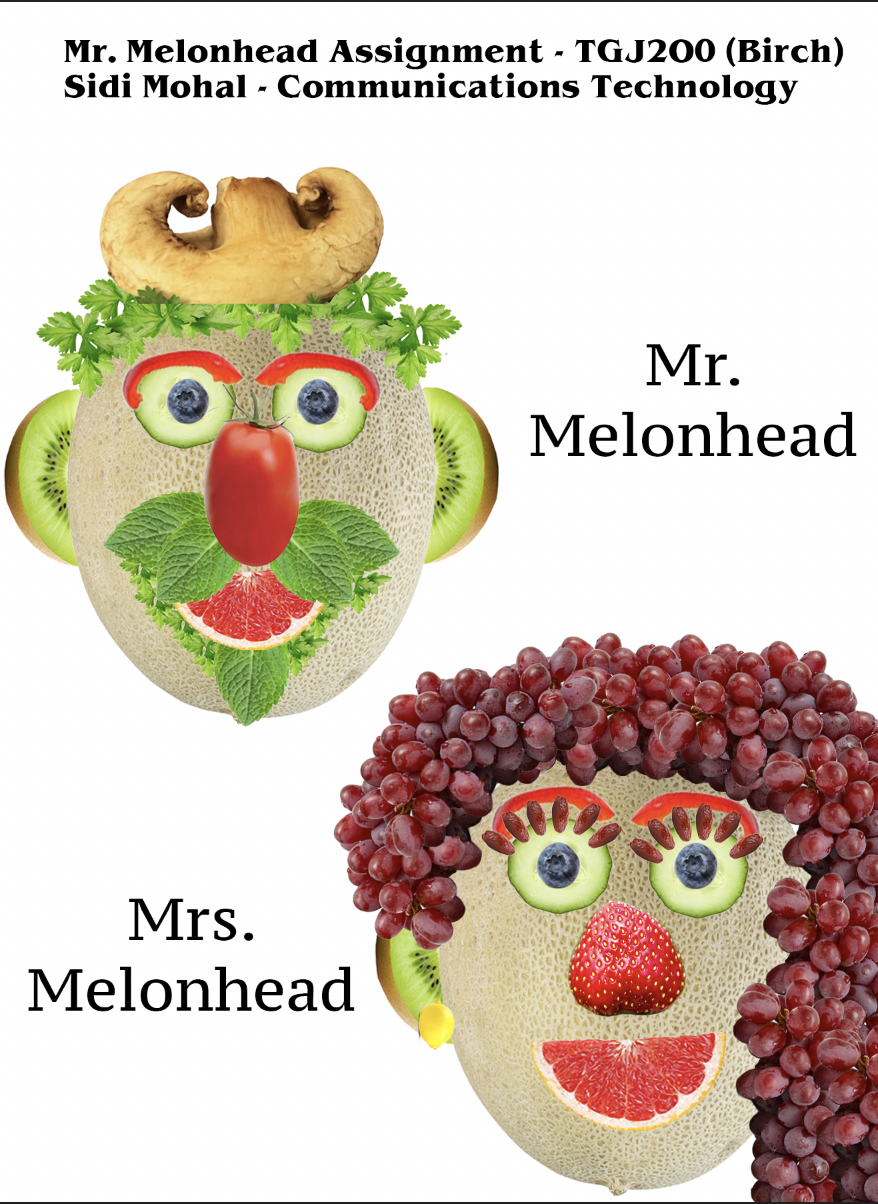
A layers project where the goal was to build two faces entirely out of fruit and vegetables. Mr. Melonhead has a cantaloupe-half head, a mushroom for a hat, pepper-ring glasses, a chili-pepper nose and a tomato mouth. Mrs. Melonhead is on the right with cucumber-slice eyes, a strawberry nose and grapes for hair. Every single feature is its own separate layer that I cut out, scaled, rotated and stacked into place. It was the project that really taught me how to organise and manage a big layer stack without losing track of everything.
Insert weather change screenshot
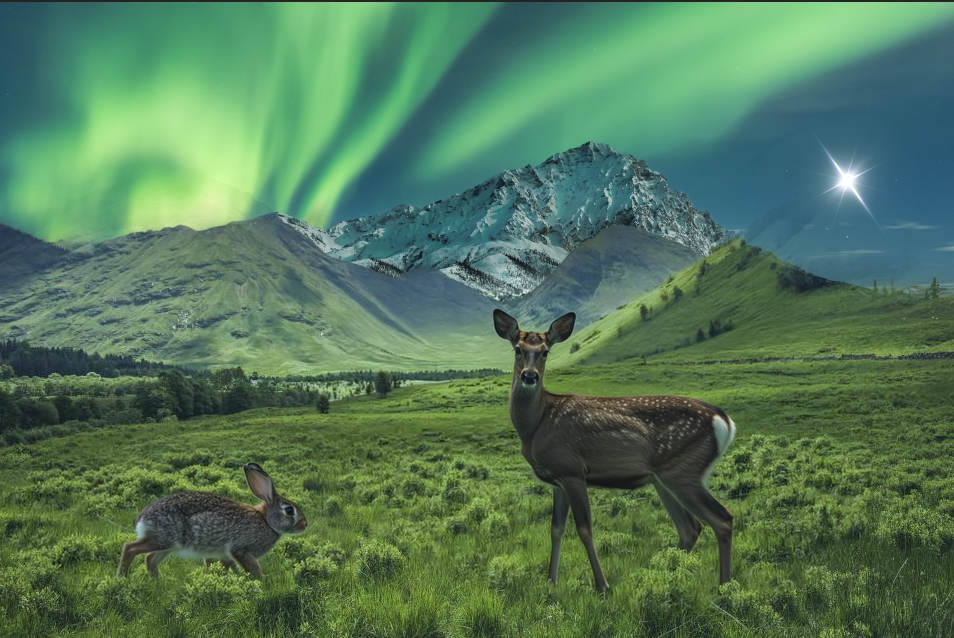
I made three different scene swaps for this one. The main image drops two deer into a green field under a glowing aurora over snowy mountains. In the gallery, a chrome UFO hovers over the New York skyline at purple dusk with a full moon, and a fire-breathing dragon swoops past a castle under a blood-red sky. The trick on all three was that selecting the sky is fast, but selling it means matching the light: I used Color Balance and Hue/Saturation layers with masks to push the ground colours toward each new sky, plus a gradient mask to blend the horizon. Swapping a sky really means changing the light on everything else in the scene, then making sure the new sky belongs there.
Insert blend photos screenshot
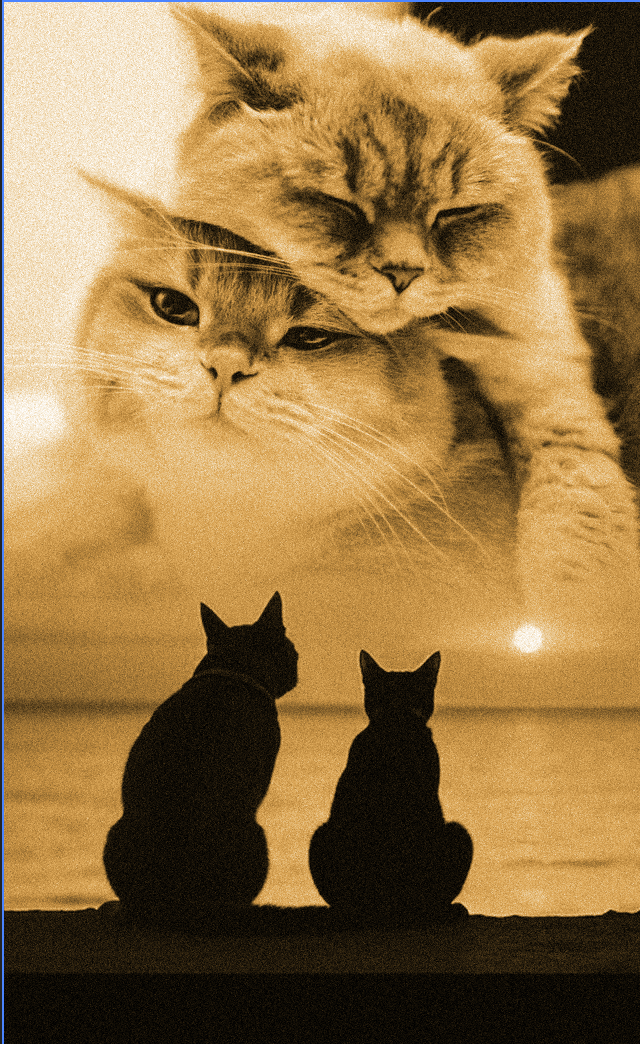
Two black cats sitting on a ledge watching the sun go down over the water, with a big soft cat face blended into the sky above them, all warmed into one sepia tone. It's basically a double exposure: I used gradient layer masks to fade the big cat into the sunset sky so there's no hard edge, then graded the whole thing to a single bronze colour so the two photos read as one image. Pulling the tones together was what made it actually look intentional instead of like two pictures stuck on top of each other. (And yes, I picked cats on purpose.)
Insert meme screenshot
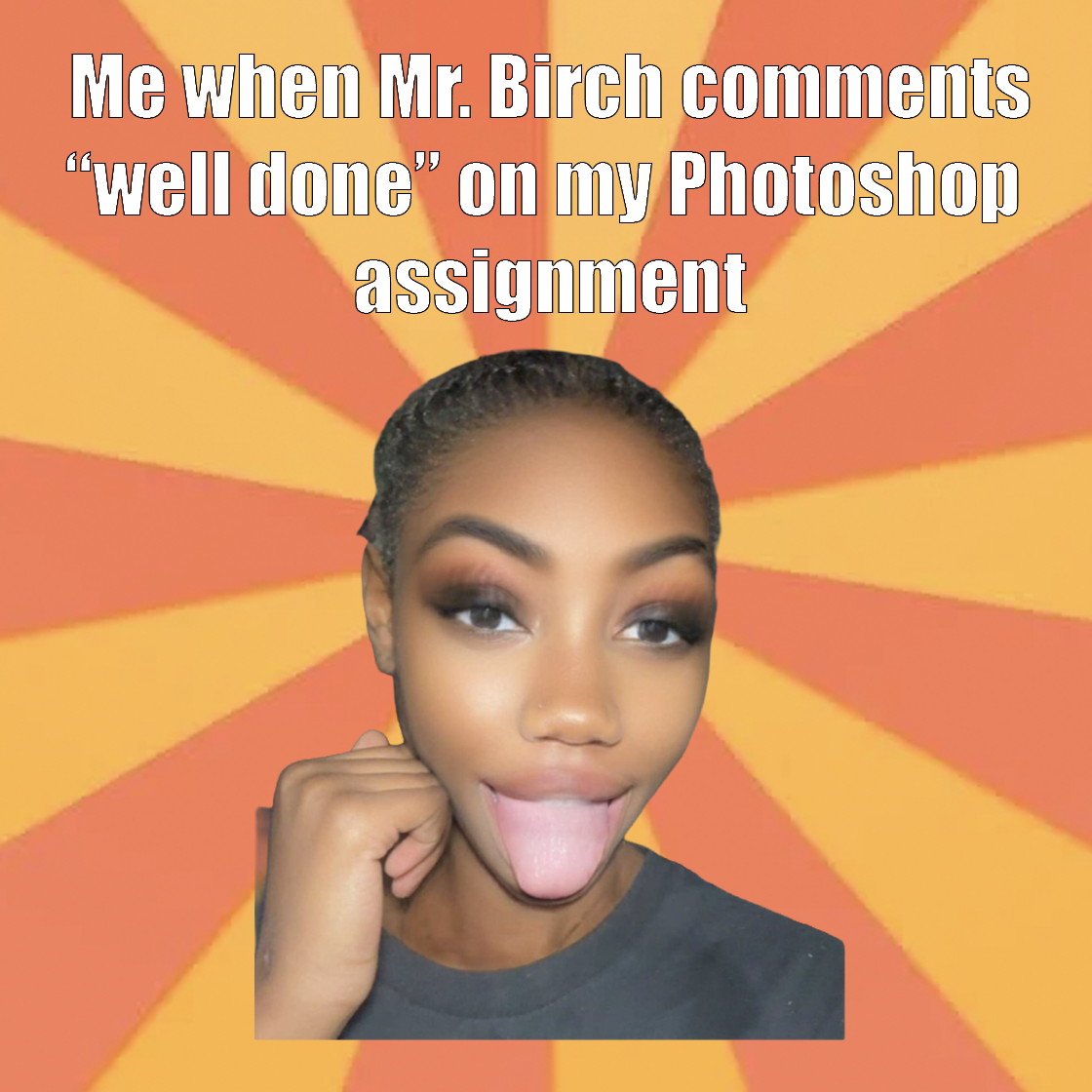
I made two memes and aimed them straight at this class. The first is a happy tongue-out reaction on an orange sunburst: "Me when Mr. Birch comments 'well done' on my Photoshop assignment." The second (in the gallery) is a face-palm on a blue sunburst: "Me when I see Mr. Birch's t-shirts every day." Beyond the joke, the design rules are real: top-and-bottom caption layout, bold high-contrast text that stays readable over a busy background, and line breaks timed so the punchline lands last. Meme layouts are basically their own design language.
Insert Mix N Match screenshot
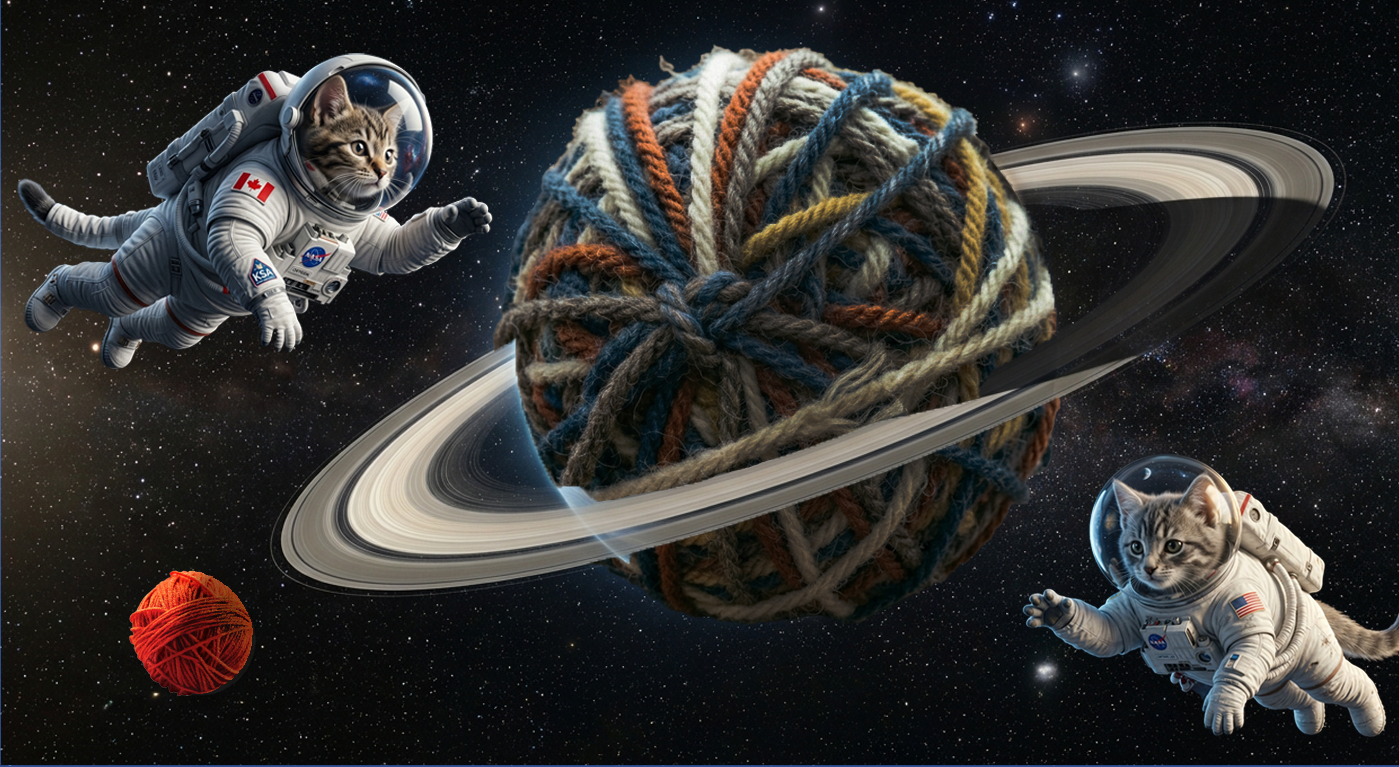
Two cats in astronaut suits floating through space around a planet that is actually a giant ball of yarn wrapped in Saturn's rings, with a smaller yarn ball as a moon and a Canadian flag patch on one of the suits. It's stitched from a bunch of unrelated photos, so the real work was making them believe they share one scene: matching the lighting so the cats are lit by the same starlight, grading everything to the cold blue of space with adjustment layers and masks, and getting the scale and drop shadows right so the cats actually look like they're orbiting the yarn. Easily my favourite composite to make.
Insert movie poster screenshot
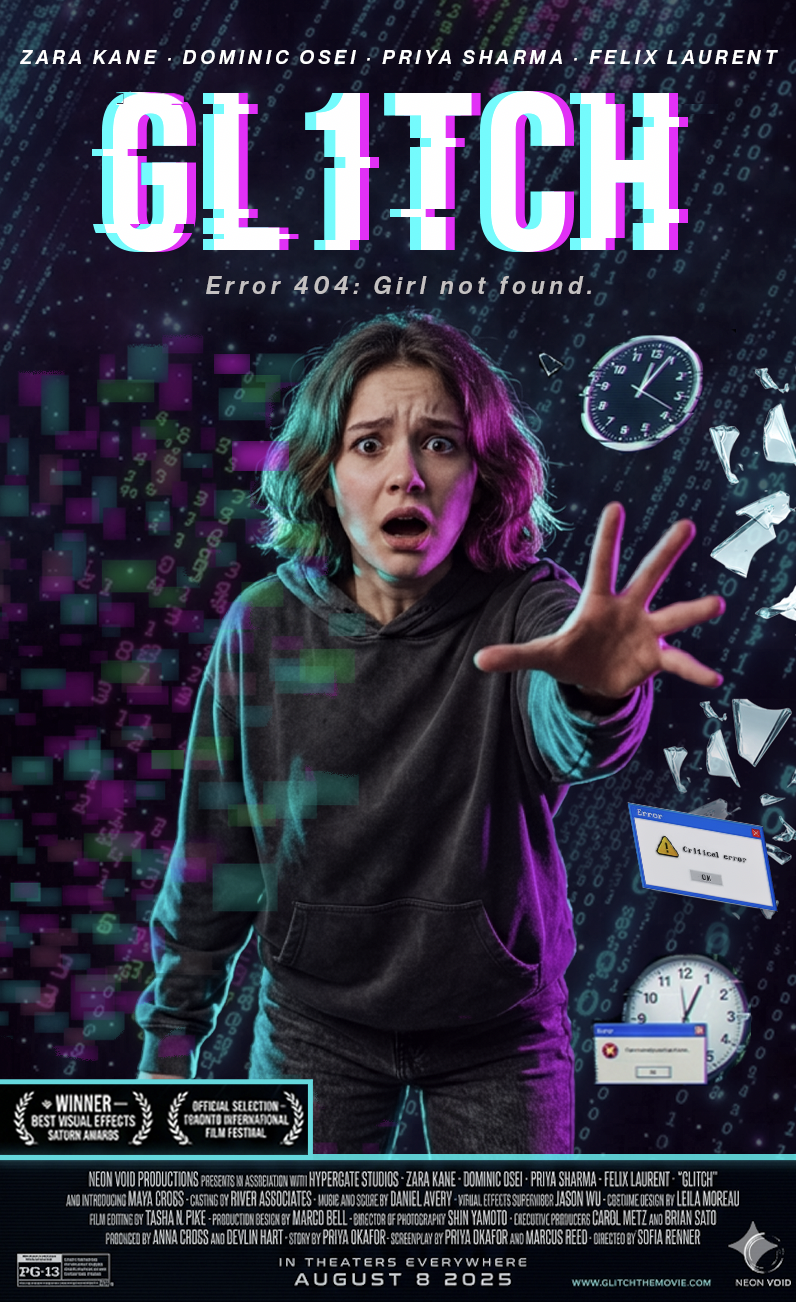
This is a completely made-up movie I designed from nothing: "GL1TCH," with the tagline "Error 404: Girl not found." A scared girl reaches toward the camera while the whole frame breaks apart into glitch bars, scattered clocks, neon pink-and-teal light and a fake error pop-up. I built the cast names across the top, a proper credit block and rating along the bottom, award laurels, and an "August 8 2025" release date, exactly like a real one-sheet. The glitch title treatment and the RGB-split colour grade took the longest, because it had to look broken on purpose but still totally readable. This is the project I'm proudest of all year.
Unit 03 · Adobe Animate
Two projects that build from basic animation physics up to a full 15-second commercial: timing, easing, motion paths, and visual storytelling.
Insert bouncing animation GIF or screenshot
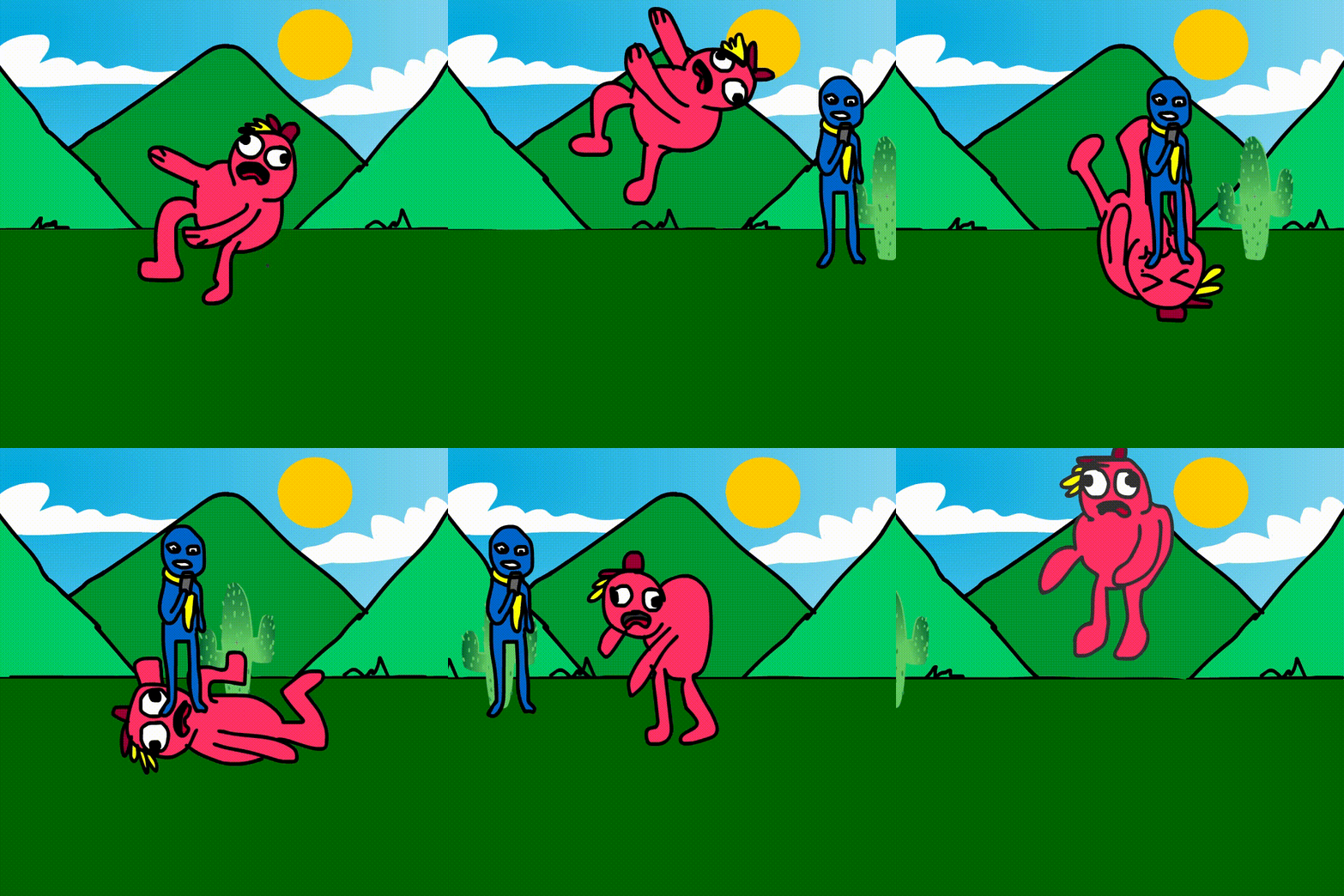
A red cartoon character with a little tuft of hair and big expressive eyes bounces across a bright cartoon landscape of diamond-shaped green hills, a yellow sun and puffy clouds. The whole project was about squash and stretch, the animation basic that makes something feel alive instead of stiff. I timed the bounce with slow-in and slow-out easing, squashed the body on impact, stretched it at the top of each arc, and kept the personality in the face. I locked the physics down first and added the character on top. These are the same rules animators have used since the old Disney shorts.
Insert fizzy drink advert GIF or screenshot
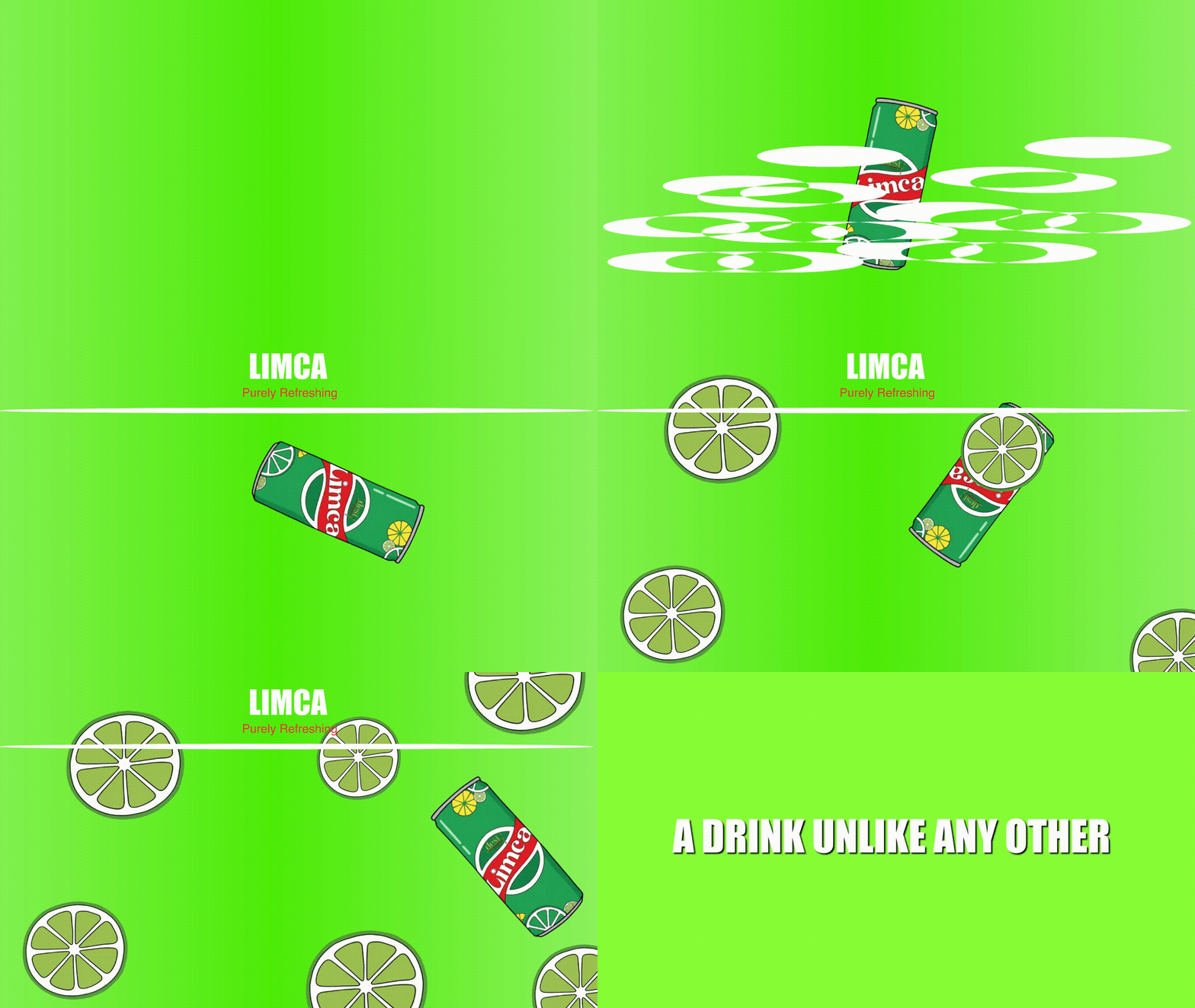
A 15-second animated ad that mixes product animation, moving text, and character motion. Before I touched Animate I drew a storyboard planning what happens in each second, which saved me a ton of time because I never had to stop and figure out what came next while building it. The ad uses motion along a path for the product's entrance, a shape tween for the logo reveal, and a sound effect timed to the pour. Making something this short feel full and energetic instead of rushed turned out to be all about timing and pacing more than the tools themselves.
What I Can Do Now
A breakdown of the actual skills I picked up in each program this semester, plus what I brought in from outside class.
Still my weakest area, and the one I most want to keep improving.
Extra Work · Outside of Class
Real design work I do outside of school, using the same tools on things that actually matter to me: my startup and a nonprofit I volunteer for. Proof the skills from this course carry into the real world.
My Startup · Logo & Brand
Respra
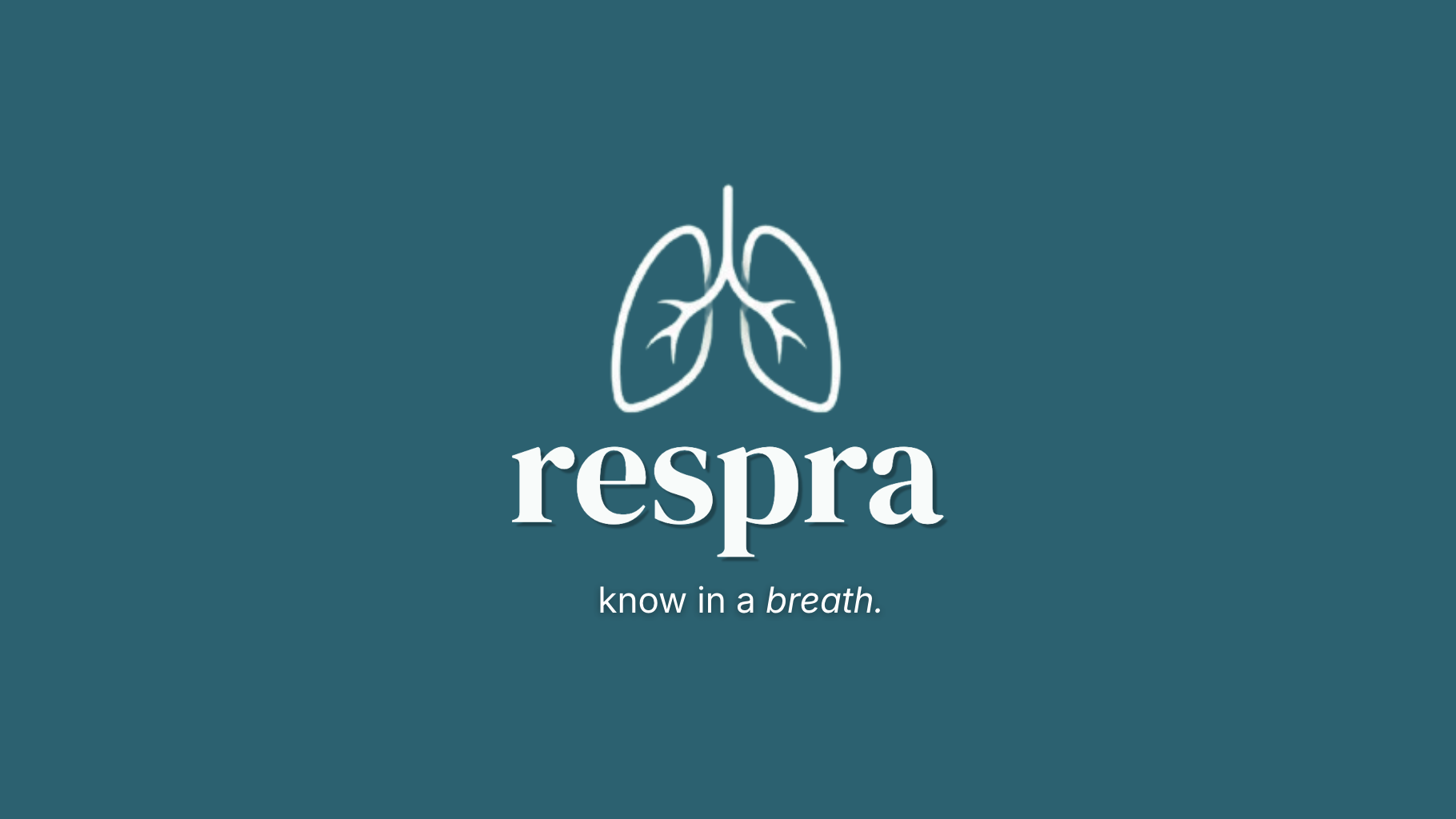
I designed the full logo and brand for Respra, an AI-powered breathalyzer my team built that screens for several diseases from a single exhale. It is live at respra.ca and won the People's Choice Award at the TKS Toronto Moonshot. The logo is a clean line-drawn pair of lungs on a calm teal background, with a soft serif "respra" wordmark and the tagline "know in a breath." I made all of it in the tools I learned this year, and because real users and judges see it, it had to look trustworthy and medical while staying friendly.
Volunteer · FBL Canada
FBLC Career Panel Slides
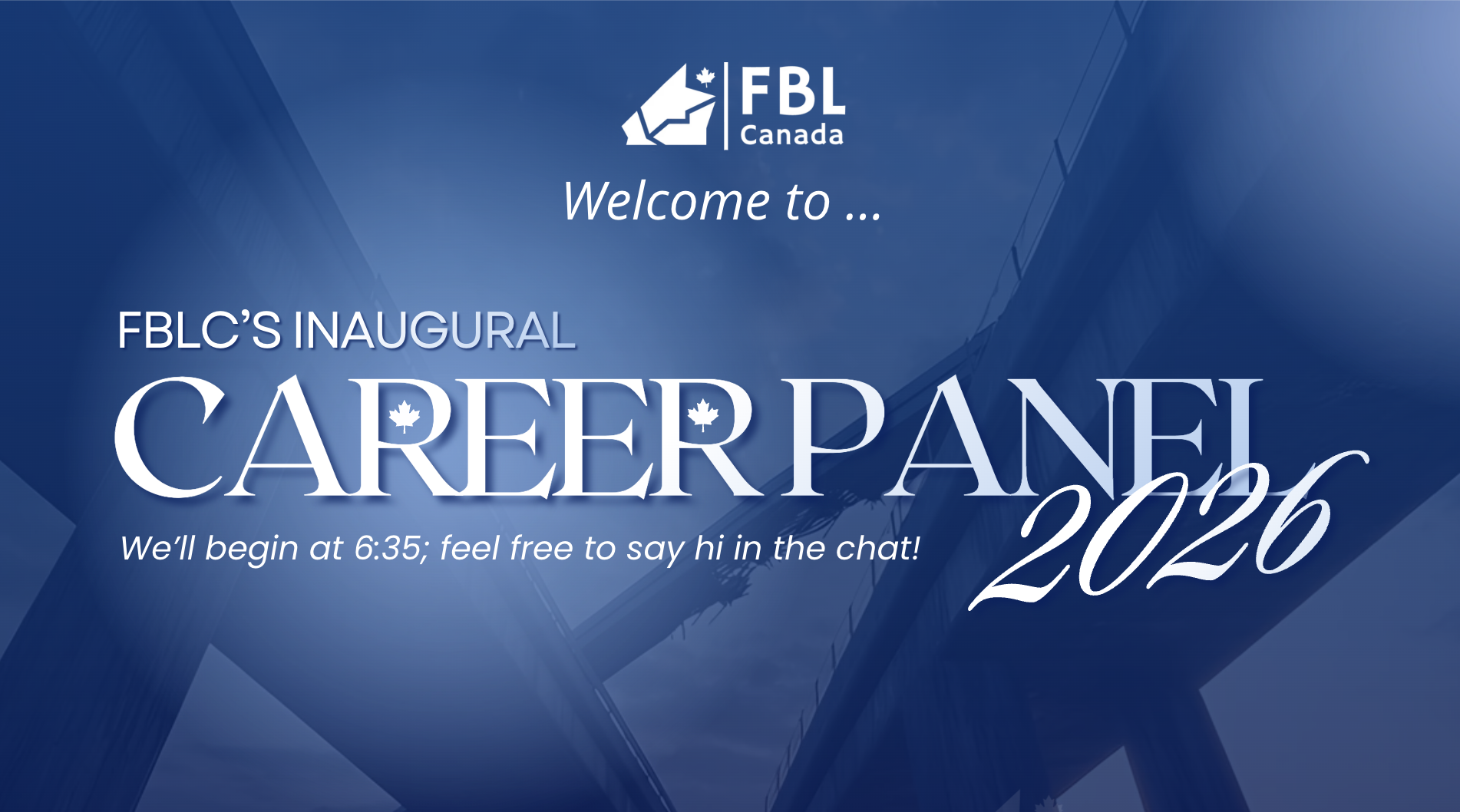
I volunteer for FBL Canada (FBLC), a student nonprofit, and I designed their slide deck for the first-ever Career Panel in Photoshop. This is the title slide: a deep blue geometric background, the FBL Canada logo, layered "Career Panel 2026" type that mixes a bold serif with a script, and a welcome line for the audience. I built the whole set to look professional enough to put in front of real guest speakers.
Personal · Web Design
This Portfolio Website
I designed and coded this whole portfolio site from scratch instead of using a template. I treated it as one more design project and put the visual skills from this semester straight to work. The site you are reading is its own piece of design.
Self-Assessment
Responsibility
I kept up with most of my work, followed the instructions for each assignment, and looked after the shared lab equipment. When I messed something up I owned it and fixed it. I'm giving myself a G instead of an E because I handed a few things in late and got off task during some classes, and I'd rather be honest about that than claim an E I didn't fully earn.
Collaboration
In feedback sessions I gave real comments, pointing out what was working and why instead of just saying something looked "nice." I actually listened to the feedback on my own work and changed things because of it. When classmates got stuck I walked them through how I'd solved something similar. I think I earned the E here.
Organization
I kept my files in clearly named folders and could always find old work fast. I'm giving myself a G instead of an E because my organization was a lot better in the second half of the semester than the first. It took me a few weeks to build those habits, and an E should mean excellent from day one.
Self-regulation
I managed my own focus and workload all semester. When I caught myself drifting I got back on track without anyone telling me to. I checked my work against the rubric before handing it in and pushed through the frustrating technical parts instead of quitting. I think this is a solid E.
Independent Work
I figured out most technical problems on my own by experimenting and watching tutorials. I'm giving myself a G instead of an E because there were times, especially early in the Photoshop unit, where I asked for help a bit too fast instead of trying everything I could think of first.
Initiative
I went past the minimum on a few projects: researching real movie posters, storyboarding before animating, and testing my logo at different sizes. I'm giving myself a G instead of an E because I didn't bring that same energy to every single project. An E should mean going above and beyond on everything, even the projects I was less excited about.
The End of the Course
This was honestly one of my favourite classes all year. I walked in not knowing how to use a single one of these programs, and I'm walking out able to design a logo, build a composite, and animate a whole commercial. That's a pretty cool thing to be able to say.
Thank you, Mr. Birch, for the projects, the feedback, and for making the room a place where it was fun to actually try stuff and mess it up. Thanks to the class too for the ideas and the critiques. I'm leaving this course genuinely excited to keep designing.
Made with ♥ by Sidi Mohal · TGJ2O0 · 2025–26